Gaussian Splatting
A few hundred photographs become millions of semi-transparent coloured ellipsoids. Drawing a frame asks no neural network: it sorts, then stacks.
Scroll
Photos In, Real Time Out
Rebuild a scene from a set of photographs, then draw it from any angle: neural radiance fields (NeRF) reached photographic quality in 2020, but one frame took seconds to tens of seconds. 3D Gaussian splatting, presented at SIGGRAPH in 2023, changed the representation: the scene is a great many 3D Gaussians, each like a semi-transparent coloured ellipsoid. The authors report rendering at 30 frames per second or more at 1080p, with quality on a par with the best method of the time.
On the nine scenes of the Mip-NeRF 360 dataset, Gaussian splatting trained in 41 min 33 s on average on one A6000 graphics card and rendered at 134 frames per second (at each dataset’s own resolution). The authors trained Mip-NeRF 360 for 12 hours on four A100 cards, which they count as 48 hours on one card; it rendered at 0.06 frames per second. On quality, Mip-NeRF 360 has the slightly higher average peak signal-to-noise ratio, 27.69 against 27.21 dB (Mip-NeRF 360’s quality scores are copied from its own paper), and Gaussian splatting is better on the other two measures, SSIM and LPIPS. The authors’ words: “on par and sometimes slightly better”.
The bench is a turntable: a bonsai with 24 cameras around it. The tree and its pot are drawn in Gaussians right now, rendered in your browser in real time; the HUD gives their number and this page’s frame rate. These Gaussians were laid on the model’s surfaces by the page and coloured from the cameras’ photos, not trained; the training comes in two later chapters, on a much smaller scale.
Mip-NeRF 360 dataset · Gaussian splatting (A6000): 41 min 33 s to train, 134 fps · Mip-NeRF 360: 48 h (single-GPU terms), 0.06 fps
Photos First
The input is a set of photographs of a still scene, taken from all round it. The Mip-NeRF 360 dataset has nine scenes, five outdoors and four indoors, each photographed as the camera circles a central object, with 100 to 330 photos per scene; its bonsai has 292. By convention one photo in eight is held back for testing and not used in training.
The photos need to be many and from every side: a spot seen by one camera alone cannot be placed in depth. The scene must also stay still; anything that moved while it was photographed will not line up (scenes that move came later; see “What Came Next”).
The bench has 24 cameras, 16 in a ring below and 8 high at the back, all aimed at the bonsai. They fire in turn, and the HUD shows the photo being taken. The toy training later uses exactly these 24, each shrunk to 64 × 64 pixels.
100–330 photos a scene, 292 for the bonsai · one in eight held back · 24 on the bench
Where the Cameras Stood
Photos alone are not enough: the method also needs to know where each one was taken and which way it faced. That step is structure from motion: find the same features in different photos, solve for every camera’s position and direction, and get the features’ positions in 3D along the way. The paper cites COLMAP’s structure from motion (Schönberger and Frahm, 2016), and the Mip-NeRF 360 dataset’s camera positions were computed with COLMAP.
Those sparse points come for free, and Gaussian splatting starts from them: each point becomes a small round Gaussian, as wide as its mean distance to its three nearest neighbours, with an opacity of 0.1 to begin with (the official code). Starting from points scattered at random in a large cube avoids complete failure, but quality drops (20.42 against 26.05 dB, averaged over three scenes in the paper’s ablation), mostly in the background, and poorly photographed areas fill with more floaters.
The bench’s 1,500 points are a stand-in: the page took points on the model’s surface, jittered them a little and coloured them from the photos. Real structure from motion only finds points where textures match between photos. The wireframes show what each of the 24 cameras sees.
Camera positions + sparse points · one Gaussian per point · 1,500 points and 24 cameras on the bench
One Gaussian
Each Gaussian has a centre, a covariance matrix Σ that describes its shape, an opacity and a set of colour coefficients. Σ says whether it is round, flat or long, and which way it points. Optimising Σ directly does not work: gradient descent cannot easily keep it a valid (positive semi-definite) matrix. So it is stored as three scales s and a quaternion q for the rotation, and Σ = R S Sᵀ Rᵀ is computed from them.
The opacity passes through a sigmoid to stay between 0 and 1, the scales through an exponential, and the quaternion is normalised. A Gaussian has no hard edge: it fades from its centre outwards along a bell curve, multiplied by its opacity. In the official format a Gaussian carries 59 useful numbers: 3 for position, 3 for scale, 4 for rotation, 1 for opacity and 48 for colour.
The magnified one is a Gaussian on the pot: the disc is its density in its own plane, the fine line marks two standard deviations, and the faint shell its reach in all three directions; its parameters are in the HUD. The Gaussian that adds most to the pixel under the pointer takes its place.
Σ = R S Sᵀ Rᵀ · position 3 + scale 3 + rotation 4 + opacity 1 + colour 48 = 59
Colour That Turns With You
Colour is stored as spherical harmonics: the same Gaussian can show a different colour from a different direction, which is how a glaze gets its highlight. The paper uses 4 bands (degrees 0 to 3): 16 coefficients per colour channel, 48 in all.
Training starts with degree 0 alone, the base colour that does not change with direction, and adds a band every 1,000 steps. Without that, a gap in the photos’ angles can teach the wrong base colour. In the paper’s ablation, averaged over three scenes, dropping the spherical harmonics, so that each Gaussian has a single colour, lowers the peak signal-to-noise ratio from 26.05 to 25.35 dB.
The bench keeps the first two bands, 4 coefficients per channel: a base colour plus a term that changes linearly with direction, fitted by least squares to the photos that see it. The camera swings to and fro round the pot, and the HUD gives how bright one Gaussian on the pot looks from here, against its base colour.
4 bands · 16 coefficients per channel, 48 in all · one band more every 1,000 steps · 2 bands on the bench
Sorted, Then Stacked
To draw a frame, each 3D Gaussian is first projected to a 2D Gaussian on the screen: Σ′ = J W Σ Wᵀ Jᵀ, where W is the camera’s rotation and J the linear approximation of the perspective projection at that point (from EWA splatting, 2001). The screen is cut into tiles of 16 × 16 pixels; each Gaussian is entered in every tile it touches, keyed by tile and depth, and one radix sort on the GPU puts them all in order.
Then every pixel of a tile stacks its Gaussians front to back: C = Σ cᵢ αᵢ Πⱼ<ᵢ (1 − αⱼ). αᵢ is the Gaussian’s value at that pixel times its opacity, at most 0.99, and anything under 1/255 is skipped; the pixel stops when its accumulated opacity is about to pass 0.9999. The sort is per tile and by each Gaussian’s centre, not exact per pixel, so in some configurations the blend is only approximate; as Gaussians approach the size of a pixel, the error becomes negligible.
The red line is the ray seen by one pixel of one camera. The Gaussians it meets are marked in red and listed front to back in the HUD: each one’s α, the transmittance T left before it, and the share α·T it adds to the pixel. The bench sorts on the CPU and the GPU stacks back to front with the “over” operation, which gives the same result as front to back.
C = Σ cᵢ αᵢ Tᵢ · tiles of 16 × 16 pixels · one GPU radix sort · α ≤ 0.99
Cut Open
Cut the bench’s Gaussians open and they are hollow: the page laid them only on the surfaces. In a trained scene, too, Gaussians gather mostly near surfaces: they start from points found on surfaces, and new ones are cloned or split only where the picture still disagrees with the photos. But nothing holds them to a surface, and some float in the air as “floaters”. In the paper’s abstract, the representation keeps the useful properties of continuous volumetric radiance fields for optimisation while avoiding unnecessary computation in empty space.
An anisotropic Gaussian can be flat or long: it can spread along a surface and stay thin across it. The paper tried restricting every Gaussian to a sphere, and quality fell clearly, from 26.05 to 25.23 dB peak signal-to-noise ratio averaged over three scenes: anisotropic Gaussians fit surfaces better.
The bench’s cut moves in from the front to the middle of the tree. Needles, trunk and the wall of the pot are all just a shell.
On the bench: only on surfaces · restricted to spheres: 25.23 dB, anisotropic: 26.05 dB (the paper’s ablation, average of three scenes)
Compare, Then Correct
Each training step picks one photo, draws all the Gaussians from that camera’s position and compares the picture with the photo. The error is a weighted sum of L1 (the absolute difference, pixel by pixel) and D-SSIM (the loss of structural similarity), with λ = 0.2. The whole rasterisation can be differentiated: the error’s gradient flows back through the blending and the projection to every Gaussian’s position, scales, rotation, opacity and colour (how gradients flow backwards: see the plate “Backpropagation”). The authors wrote these derivatives out by hand rather than relying on automatic differentiation.
The optimiser is Adam, with the position learning rate decaying exponentially with the steps. The paper trains for 30,000 steps, 27 to 42 minutes on average per dataset on an A6000; at 7,000 steps the result is already good. There is no neural network here: what gets trained is the Gaussians themselves.
The bench’s toy runs this very loop, live in your browser: 24 photos of 64 × 64 pixels, 1,500 starting points, 2,000 steps, L1 error only. The mean L1 error over the 24 photos falls from 0.120 to 0.017. The HUD shows one photo on the left and, on the right, what the same camera sees of the Gaussians now.
L = (1 − λ)L1 + λ·D-SSIM, λ = 0.2 · Adam · 30,000 steps · bench: 2,000 steps, L1 0.120 → 0.017
Clone, Split, Prune
Sparse points are not enough to cover a scene. Every 100 steps, training runs adaptive density control: a Gaussian whose position gradient on the screen, averaged over the views that see it, is above 0.0002 marks a region not yet well reconstructed. A small Gaussian is cloned, a copy of the same size, to fill in missing detail; a large one is split in two, its scales divided by 1.6 and the two new positions drawn from the original Gaussian.
Gaussians that are almost transparent are removed (the official code’s threshold is an opacity under 0.005). Every 3,000 steps every opacity is set close to zero (in the official code, only until step 15,000), so that the optimisation decides again which Gaussians to keep. The paper says the optimisation can get stuck with “floaters” near the cameras, which inflate the number of Gaussians; the reset holds that growth back. Density control runs from step 500 to 15,000 (the official code); the real scenes in the paper ended with 1 to 5 million Gaussians (the synthetic ones with 200,000 to 500,000).
On the bench it runs every 50 steps, with the threshold scaled for the toy’s photos, and opacity is reset once, at step 1,000. A new clone glows amber for a moment, the halves of a split glow red. The toy grows from 1,500 points to 2,917 Gaussians: 687 clones, 1,270 splits and 540 removed.
Every 100 steps · threshold 0.0002 · split scales ÷ 1.6 · opacity reset every 3,000 steps · bench: 1,500 → 2,917
Why It Is Fast
NeRF keeps the scene inside a multilayer perceptron: give it a position and a direction, and it answers with the density and colour there. To draw one pixel it samples points along the pixel’s ray and asks the network about each: a coarse network at 64 even points, then a fine network at those 64 and at 128 more where they matter, 192 points: 256 queries per ray in all. In the paper one picture takes 150 to 200 million queries, about 30 seconds on a V100.
Gaussian splatting asks no network. The scene is a plain list, each Gaussian’s position, shape and colour written out. Drawing a frame is projecting, sorting and stacking, done in parallel by a rasteriser the authors wrote for the graphics card, and only where there is something to draw. The price is size; see the next chapter.
The 192 small dots on the red line are the samples NeRF takes on this one ray; on the same ray, the bench’s Gaussians are only the few listed in the HUD.
NeRF: 64 + 192 queries per ray, about 30 s a picture (V100) · Gaussian splatting: project, sort, stack
What It Costs
Size: in the Gaussian splatting paper’s table, the trained Gaussians on the Mip-NeRF 360 dataset average 734 MB, while Mip-NeRF 360’s network is 8.6 MB. The official format stores 62 32-bit floats per Gaussian (3 of them normals written as zeros), 248 bytes, about 248 MB per million. Training a large scene can take more than 20 GB of graphics memory at its peak.
Where the photos are thin, it goes wrong: the authors write that poorly observed regions have artefacts, with elongated or “splotchy” Gaussians, and that when the optimisation creates large Gaussians they occasionally “pop” as the view changes, mostly where the colour changes with the view. The paper applies no regularisation. It also needs enough photos, accurate camera positions and a still scene.
Seen from below, almost no camera photographed the underside of the foliage, and the Gaussians there are sparse, or missing. The HUD gives the size of the bench’s Gaussians stored in the official format.
734 MB against 8.6 MB · 248 bytes a Gaussian · training a large scene can take over 20 GB of graphics memory
What Came Next
Scenes that move: let each Gaussian move and rotate over time, keeping its colour, opacity and size, and view synthesis and 3D tracking come out together (Luiten et al., 2024); 4D Gaussian splatting predicts the Gaussians’ deformation with a small network and renders 800 × 800 synthetic scenes at 82 frames per second on an RTX 3090. Compression: with codebooks and quantisation, real scenes shrink 26 times on average and up to 31 times, and render faster.
Feed-forward: rather than optimising every scene, a network is trained to predict a set of Gaussians straight from a pair of photos whose camera positions are known (pixelSplat; MVSplat has ten times fewer parameters and is more than twice as fast). Surfaces: flatten the Gaussians into 2D discs for more accurate geometry (2D Gaussian splatting). Anti-aliasing: Mip-Splatting reduced the artefacts of zooming in and out, and was one of the two best student papers at CVPR 2024. In 2026 the Khronos Group ratified KHR_gaussian_splatting, a glTF 2.0 extension for storing Gaussian splats (release candidate in February; marked ratified in the specification repository in September).
The bonsai on the bench is still the representation of the 2023 paper: a still cloud of 3D Gaussians, each with a colour that changes with direction.
Moving scenes · 26× compression · from two photos · 2D discs · anti-aliasing · a glTF extension
Taken Apart
A capture stand: a charcoal base with its degree scale; a machined aluminium platter that turns, carrying the rosewood stand, the bonsai and its Gaussians; a ring of 16 cameras below and 8 high at the back, whose photos trained the toy on the bench. Each part lifts out to be seen on its own.
Laboratory
You can draw the scene as a picture or as beads, scale every Gaussian up or down, turn off the colour that changes with direction, hide the cameras, switch to the toy training and look back at any of its steps, or retrain it from only 6 or 12 photos.
Try thisIn the laboratory, retrain with 6 photos, then with 24: how many Gaussians does each run end with? Looking up under the foliage, how do the two differ?
What the model leaves out
There is no real capture on the bench. The bonsai, the photographs and the Gaussians are the page’s own: the photos are three.js renders of the model, not camera shots; the “structure-from-motion points” are taken from the model’s surface, not from matched features; the camera positions are known. In most chapters the bench shows Gaussians (over 40,000 on a desktop) laid on the model’s surfaces by the page and coloured from 24 photos, not optimised, with two bands of spherical harmonics; those on faces no camera sees are dropped. The toy in the two training chapters is a real optimisation, but much smaller: 24 photos of 64 × 64 pixels, 1,500 starting points, 2,000 steps, L1 error only, tiles of 8 × 8 pixels; density control every 50 steps with its threshold and learning rates tuned for the toy, and one opacity reset, at step 1,000. Real scenes use hundreds of megapixel photos, millions of Gaussians and 30,000 steps.
A common misconception
Gaussian splatting is often taken for a 3D scene an AI “imagines”, or, the other way round, for something with no machine learning in it. Neither is right. The original 2023 method contains no neural network: the scene is an explicit set of Gaussians. But those Gaussians are trained against the photographs by gradient descent (Adam), just as neural networks are. Nor does it fill in what it never saw: where no photo looked, it can only leave a gap or get it wrong. Gaussians are also sometimes called “particles”, a word the paper never uses; each is a soft-edged, oriented, semi-transparent blob whose colour changes with the view.
Common questions · 4
- Why is Gaussian splatting faster than NeRF?
Gaussian splatting asks no network. The scene is a plain list, each Gaussian’s position, shape and colour written out.
10Why It Is Fast ↑- What does one 3D Gaussian consist of?
Each Gaussian has a centre, a covariance matrix Σ that describes its shape, an opacity and a set of colour coefficients.
04One Gaussian ↑- Why does it need the camera positions?
Photos alone are not enough: the method also needs to know where each one was taken and which way it faced.
03Where the Cameras Stood ↑- How is Gaussian splatting trained?
Each training step picks one photo, draws all the Gaussians from that camera’s position and compares the picture with the photo.
08Compare, Then Correct ↑
Sources
- Kerbl, Kopanas, Leimkühler, Drettakis (2023): 3D Gaussian Splatting for Real-Time Radiance Field Rendering, ACM Transactions on Graphics 42(4), article 139, SIGGRAPH 2023; arXiv:2308.04079 (≥ 30 fps at 1080p, Table 1, Table 3 ablations, Σ = R S Sᵀ Rᵀ, 4 SH bands, the tile rasteriser, adaptive density control, limitations)
- The same, ACM version, doi:10.1145/3592433
- Official code, graphdeco-inria/gaussian-splatting and diff-gaussian-rasterization (initial opacity 0.1, pruning threshold 0.005, steps 500–15,000, 62 floats per Gaussian in the .ply; non-commercial research use only)
- Barron et al. (2022): Mip-NeRF 360: Unbounded Anti-Aliased Neural Radiance Fields, CVPR 2022, arXiv:2111.12077 (nine scenes, 100–330 photos each, COLMAP, one in eight held back)
- The Mip-NeRF 360 dataset (292 photos of the bonsai, counted from the released files)
- Mildenhall et al. (2020): NeRF: Representing Scenes as Neural Radiance Fields for View Synthesis, ECCV 2020, arXiv:2003.08934 (64 + 128 samples, 256 queries per ray, about 30 s per picture)
- Schönberger, Frahm (2016): Structure-from-Motion Revisited, CVPR 2016 (COLMAP)
- Zwicker, Pfister, van Baar, Gross (2001): EWA Volume Splatting, IEEE Visualization 2001
- Luiten, Kopanas, Leibe, Ramanan (2024): Dynamic 3D Gaussians: Tracking by Persistent Dynamic View Synthesis, 3DV 2024, arXiv:2308.09713
- Wu et al. (2024): 4D Gaussian Splatting for Real-Time Dynamic Scene Rendering, CVPR 2024, arXiv:2310.08528 (800 × 800 synthetic scenes, RTX 3090, 82 fps)
- Niedermayr, Stumpfegger, Westermann (2024): Compressed 3D Gaussian Splatting for Accelerated Novel View Synthesis, CVPR 2024, arXiv:2401.02436 (26× on average, up to 31×)
- Charatan, Li, Tagliasacchi, Sitzmann (2024): pixelSplat: 3D Gaussian Splats from Image Pairs for Scalable Generalizable 3D Reconstruction, CVPR 2024, arXiv:2312.12337
- Chen et al. (2024): MVSplat: Efficient 3D Gaussian Splatting from Sparse Multi-View Images, ECCV 2024, arXiv:2403.14627 (10× fewer parameters, more than 2× faster)
- Huang et al. (2024): 2D Gaussian Splatting for Geometrically Accurate Radiance Fields, SIGGRAPH 2024, arXiv:2403.17888
- Yu et al. (2024): Mip-Splatting: Alias-free 3D Gaussian Splatting, CVPR 2024, arXiv:2311.16493
- CVPR 2024 awards (Mip-Splatting: best student paper)
- The Khronos Group: glTF extension KHR_gaussian_splatting (status: ratified by Khronos)
Data
The bonsai, its 24 photographs, the starting points, the Gaussians laid on the model and the toy optimisation are the page’s own, made and computed in the browser (src/topics/splatting/; the photographs and points in public/splatting/ were rendered from the same model). Nothing on the bench comes from a real capture. Leaf atlas: ambientCG LeafSet024 (CC0). Material presets, parts and the softbox studio of the site’s model kit are ported from AirsupHQ/machine-skill (MIT, © 2026 Air Supply Technologies Inc.).
The text, pictures and models on this page are licensed CC BY-NC 4.0: free to use and adapt for teaching and other non-commercial purposes, with credit to world.lapla.si. Third-party material listed above keeps its own licence.
Cite this plate
Laplace’s Mini World, Plate F37, “Gaussian Splatting”, https://world.lapla.si/en/splatting/, CC BY-NC 4.0, updated 2026-10-22.
Follow the question
 Plate F18How a Neural Network LearnsAn aluminium relief milled to a network’s real error, a steel ball that steps down it by the real gradient, and a small network in glass and brass: light runs forward with the numbers and back with each weight’s share of the blame.
 Plate C02The SLR CameraWhile you frame, a mirror behind the lens sends the light up into a prism. Press the release and the mirror lifts; two cloth curtains cross the film one after the other.
 Plate F11LidarA lidar on a car’s roof times light: 6.67 nanoseconds there and back is one metre. 128 beams spin, and the street around turns into hundreds of thousands of points with coordinates.
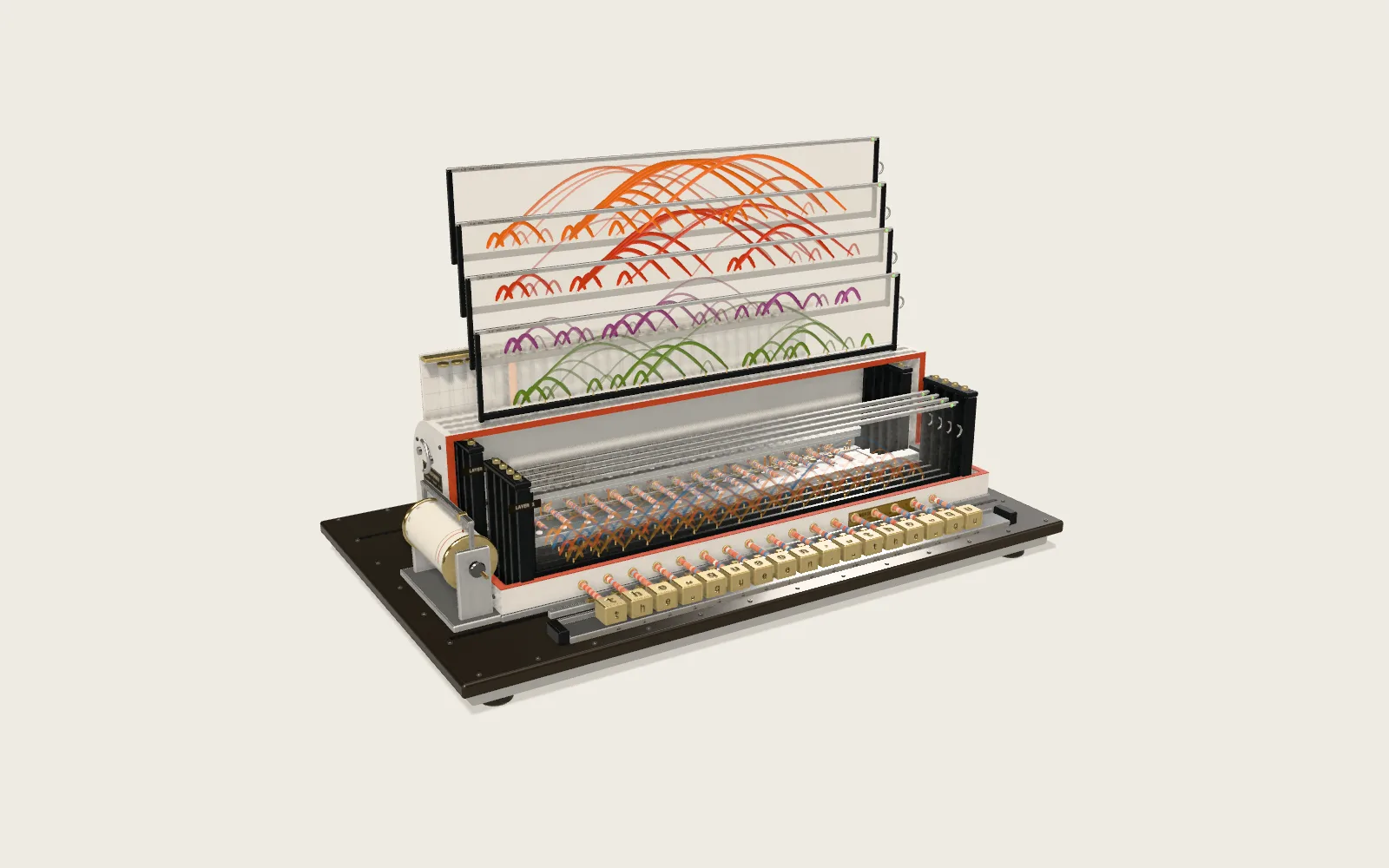 Plate F13Attention in TransformersA two-layer, eight-head Transformer reads a sentence in your browser, one character at a time, and guesses the next. Each thread is one act of attention; its brightness is the weight.